








Solana ShredStream Quickstart
Use this guide to connect a TypeScript or Rust client to an ERPC Solana ShredStream endpoint using the open-source Solana Stream SDK. Configure the endpoint assigned in your ERPC Dashboard, then allow the ICMP latency probes used for region selection. To compare ShredStream and UDP Forwarding, see Solana Shreds.
Get your ERPC connection details
- Open the ERPC Dashboard, select your ShredStream service, and copy your assigned streaming endpoint URL, including its scheme. The hostname in the sample repository is illustrative and is not a working customer endpoint.
- If you use the SDK samples below, provide an ERPC RPC API key for their
SOLANA_RPC_ENDPOINTsetting. That RPC URL supports the samples' auxiliary RPC/latency lookups; it does not replace the streaming endpoint. - Allow the ICMP sources in the next section so ERPC can measure latency to your registered IP for region selection.
You can use the Solana Stream SDK in an existing application or run its TypeScript/Rust sample clients directly. Installing SLV is optional.
Allow ICMP latency-probe sources
For Shreds region selection, ERPC sends ICMP latency probes to your registered IP from the proxy hosts listed below. Allow inbound ICMP echo requests from every listed source IP. If they are blocked by a firewall (ufw, cloud firewall, security group, etc.), the measurement can become
9999ms and a non-optimal region may be selected. Multiple IPs in one region are separate probe hosts; all of them are required.Far Point selected
Shared Shreds Far Point is a limited-capacity fallback. Each endpoint supports up to 32 concurrent proxied streams across all customers—not 32 slots per customer. Streaming is most effective when the subscriber runs near the selected Shreds endpoint; long-distance streams retain shared connections, flow-control windows, and egress capacity for longer. To help keep the shared environment responsive, allow every listed regional ICMP probe source and run region selection again. For ongoing use, consider an ERPC VPS near the selected endpoint. UDP Forwarding comes as Standard and Premium, and with either you choose its region in the ERPC Web Dashboard and receive raw Shreds over UDP at the public IPv4 address and port you configure.
Run a Solana Stream SDK sample
The Solana Stream SDK provides standalone TypeScript starters under
temp-release/ that install the published SDK 4.0.0, plus Rust sample clients under client/. Clone once and choose one of the language-specific paths below. Each set of commands starts from the repository root immediately after cloning:bash
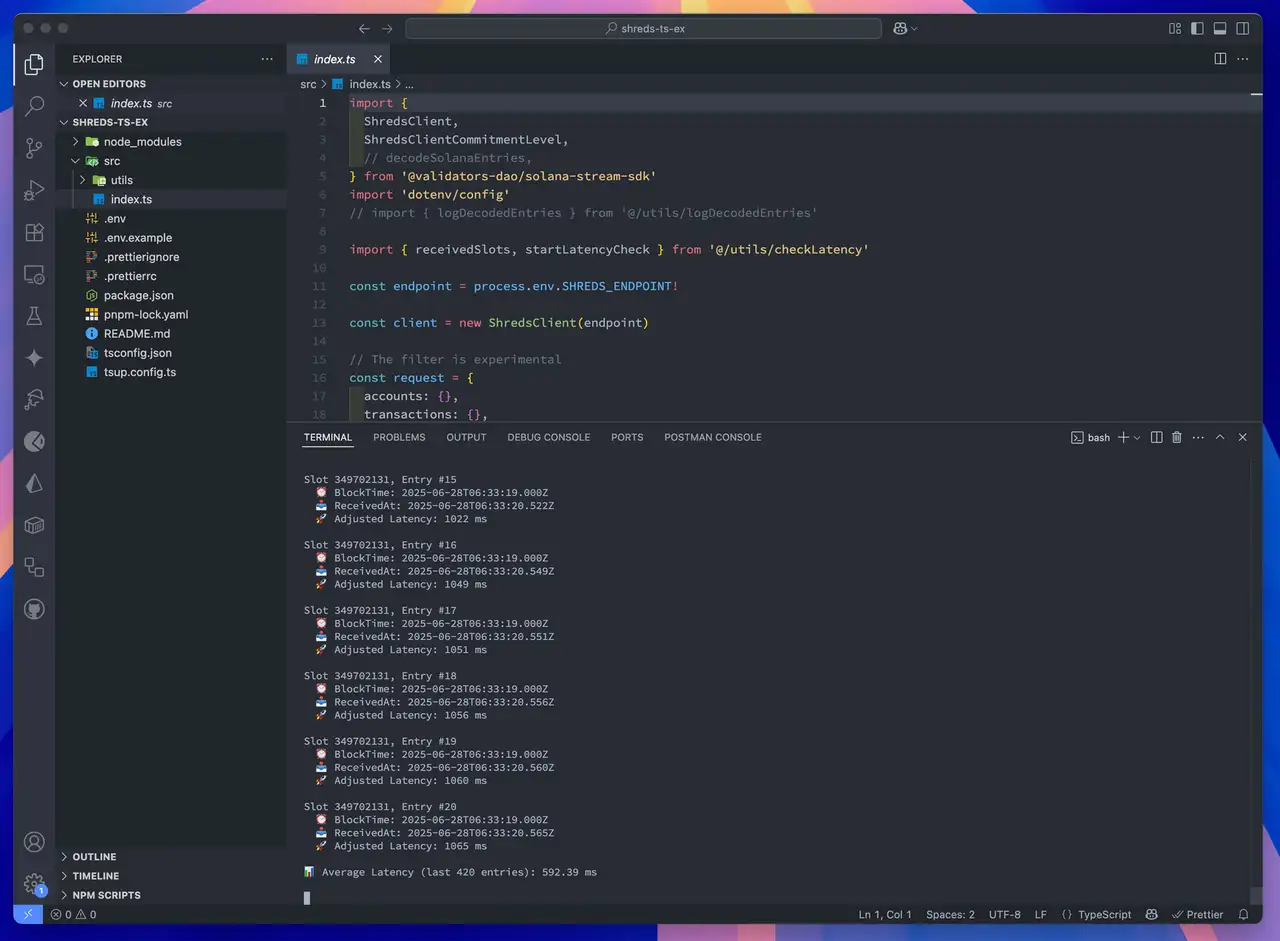
TypeScript: ShredStream
Use the standalone ShredStream TypeScript starter, Node.js 22 or later and pnpm. It installs the published SDK instead of depending on locally unbuilt native workspace packages. From the repository root, enter the starter and copy its
.env.example:bash
env
Run from inside the standalone starter directory:
bash
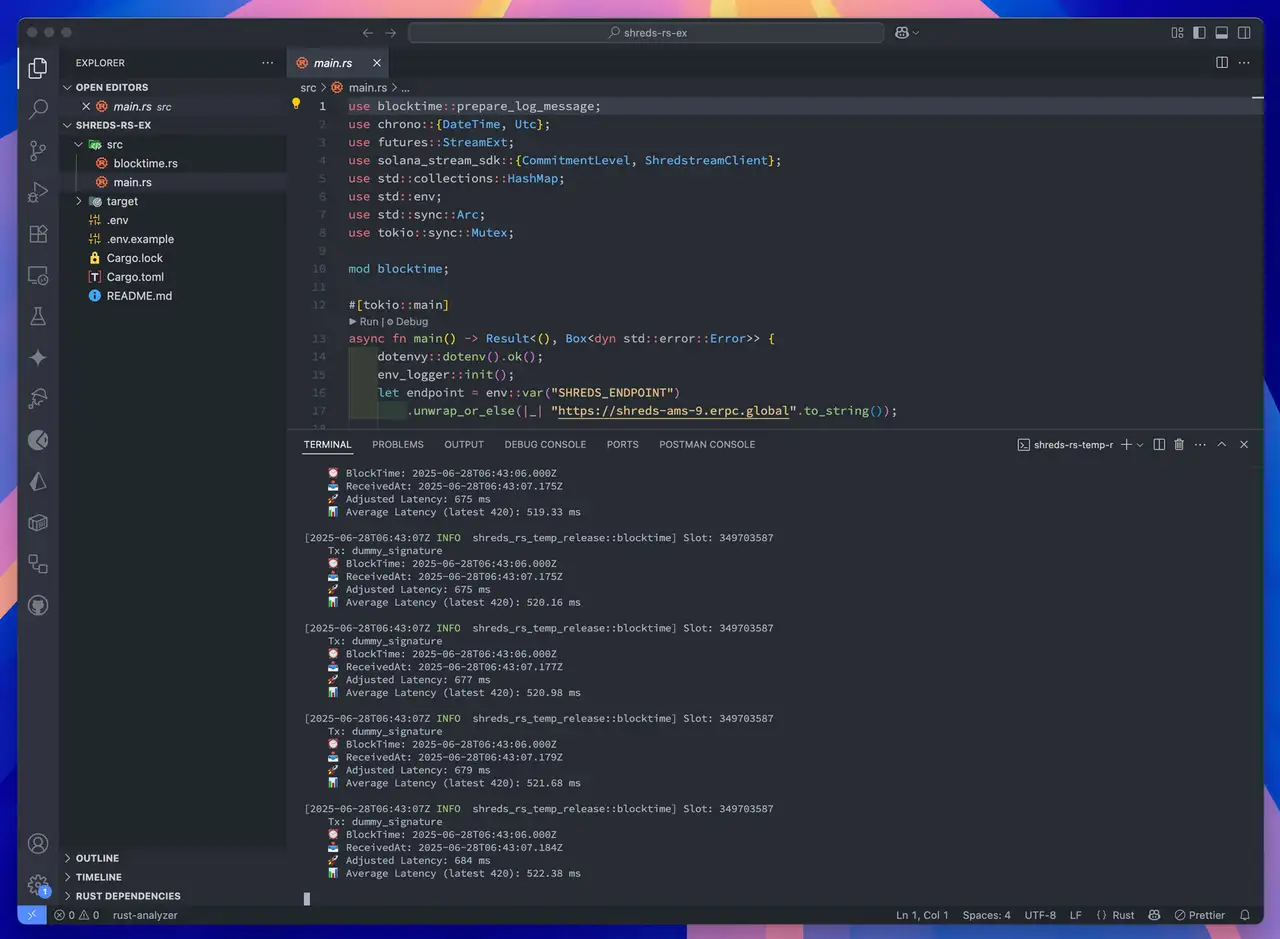
Rust: ShredStream
Copy the Rust sample's
.env.example file and configure the same two variables:bash
env
Run the example:
bash
The shared ShredStream service in this guide streams over gRPC. UDP Shreds Forwarding is a separate product and requires a UDP receiver. See Solana Shreds for the available options. SDK filtering in the Shreds sample is experimental; verify completeness for your use case.
Optional: Generate a standalone starter with SLV
If you prefer an interactive template generator instead of cloning the SDK repository, use SLV. It is not required to connect to ERPC.
bash
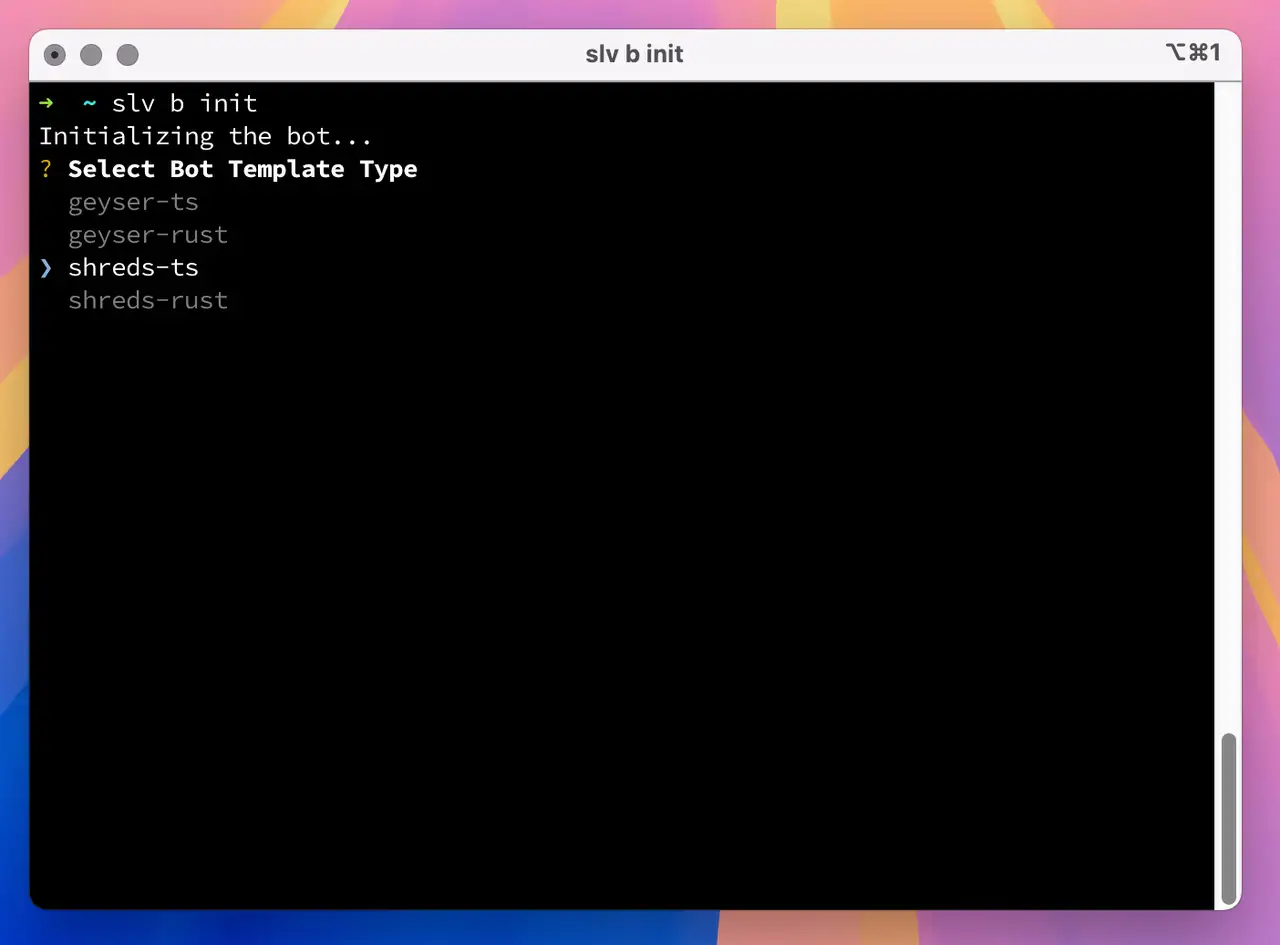
Choose
shreds-ts for TypeScript or shreds-rust for Rust.
Configure the generated project's environment variables with the assigned ERPC endpoint and your own RPC key before running it. The CLI is a convenience for obtaining a starter, not an ERPC account setup step.Solana Stream SDK

The open-source Solana Stream SDK provides the ShredStream client implementations used in these examples. Follow the sample repository's current README and its SDK 4.0 migration guidance when integrating the SDK into an existing application.
For access, subscriptions and endpoint settings, return to the ERPC Dashboard.